
iPad
Sudoku that uses the whole iPad.
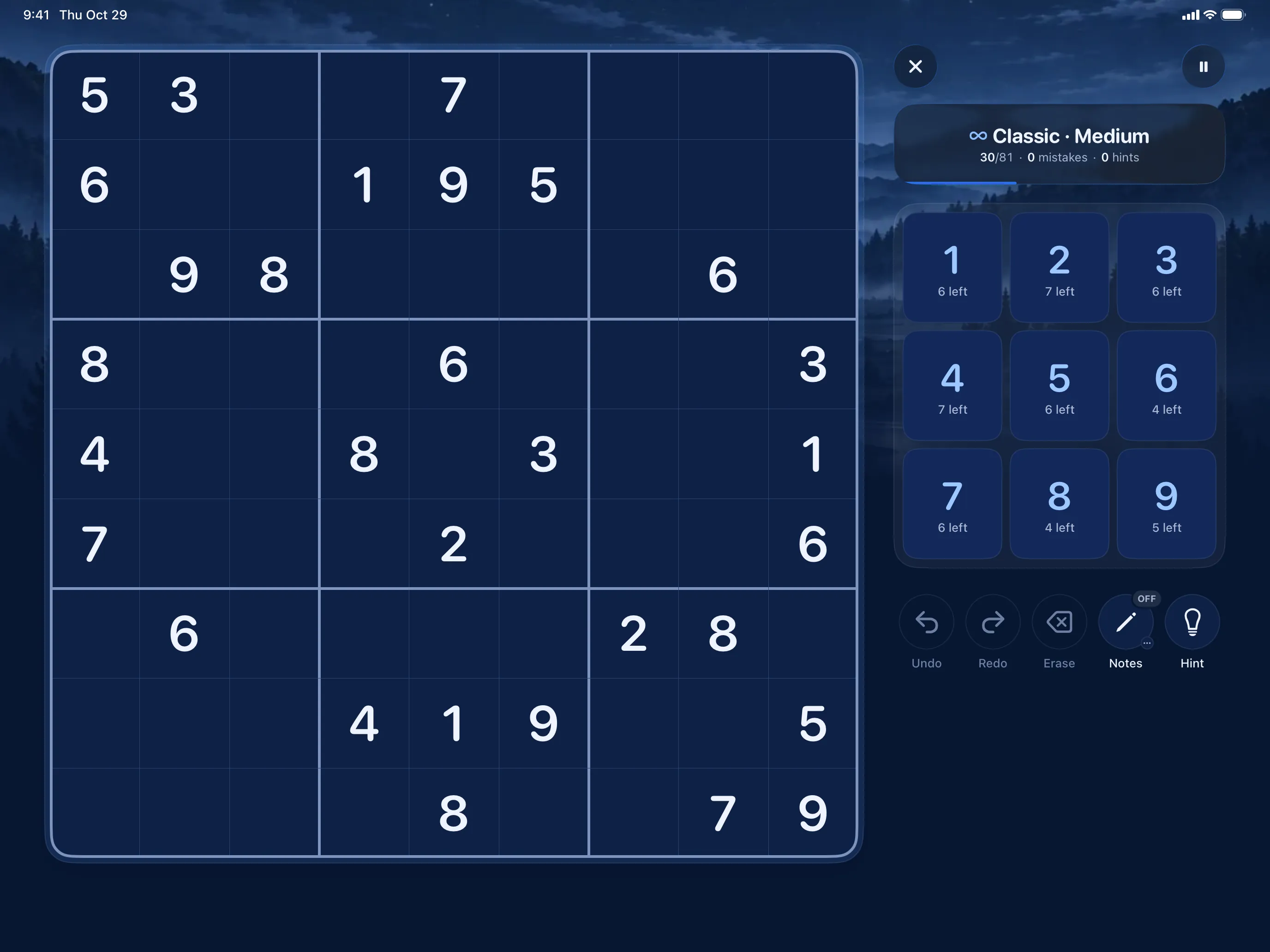
Sudoku Mori uses the whole iPad: the board on one side, the keypad, notes and hints on the other. Your hand stays off the grid, and the controls are right where your thumb is.
One app for iPhone, iPad and iPhone Duo. On iPhone it's a single column; turn an iPad sideways and it opens up. Sudoku Mori comes out on the App Store for iOS and iPadOS on 1 December 2026.
On the 13-inch iPad Pro
A whole session, held landscape.
The puzzle, Today's three, the lessons and your forest, each laid out for the wide screen. The keypad can sit on either side of the board.
Play 
Home 
Learn 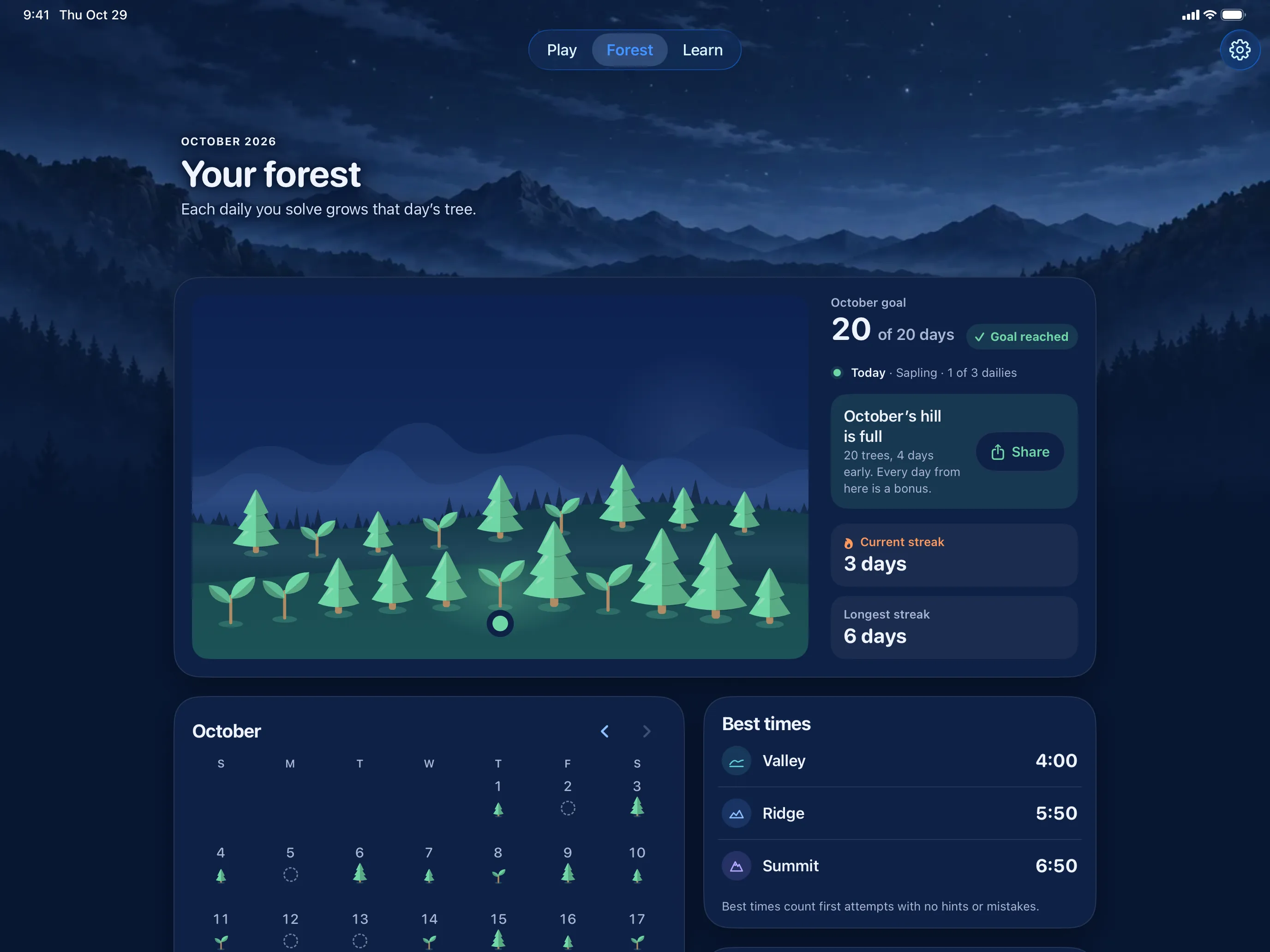
Your forest


What changes
More room, used properly.
A bigger screen only helps if the game actually uses it. Here's what the two-column layout does that a blown-up phone app can't.
The board gets the whole side
The grid scales to its half of the screen instead of a phone width, so the cells stay square and the digits stay big.
The controls move to the other
Keypad, undo, redo, erase, notes and hint get a column of their own. Nothing overlaps the board or shoves it up the screen.
Either hand, either side
Pick which side the board goes on and the layout mirrors, so the controls end up under your free thumb.
Landscape first, and portrait too
Two columns is the landscape layout. In portrait the board takes the full width, with the tools and keypad side by side underneath.
iOS and iPadOS
The same game, on either device.
- Offline on both. Nothing downloads while you play, so a Wi-Fi-only iPad on a plane works just fine.
- No ads on either. No version has any, one purchase of Full covers both devices, and apart from the layout the iOS and iPadOS versions are identical.
- Progress is shared. When you're signed in to iCloud, your puzzles and results move between devices through your own private iCloud.
- Comfort settings carry over. VoiceOver, Increase Contrast, Reduce Motion and the haptics switch work the same on both.
If you're weighing up the two, the page about advertising and offline play explains what the game leaves out, and the rules of sudoku take about two minutes to read if you're new to the grid.
Common questions
Sudoku on an iPad.
How do you play sudoku on an iPad?
The same as anywhere else: fill the 9×9 grid so no digit repeats in a row, column or 3×3 box. On iPad in landscape the board fills one side of the screen and the keypad, undo, redo, notes and hint sit on the other, so your hand never covers the grid.
Does the layout work left-handed?
Yes. Pick your hand in Settings → Gameplay → Controls and the layout mirrors to match: in landscape left-handers get the controls under their left hand and the board on the right, and in portrait the tools and keypad swap places.
Does it use the Apple Pencil?
Yes, through Scribble. With Scribble turned on in iPadOS, write a digit in a cell to place it, or write it small or in the top of the cell to add or remove a note. Scratch it out to erase. On Apple Pencil (2nd generation) and Apple Pencil Pro, a double-tap or squeeze switches Notes on and off. Your handwriting is recognised on the iPad itself and never stored.
Does it run on iPhone, iPad and iPhone Duo?
Yes, it's one app. Only the layout changes: a single column on iPhone, two columns in landscape on iPad. The iPhone Duo gets its own layout folded and open.
Does it need an internet connection on iPad?
No. It plays fully offline. The only network features are iCloud sync, which keeps your progress in your own private iCloud when you're signed in, and optional Game Center leaderboards.
Is there an iPad version without ads?
There are no ads anywhere in Sudoku Mori, on either device, free version included. One optional purchase, Sudoku Mori Full, unlocks the rest of the game on both.
How do I move progress between an iPhone and an iPad?
If you're signed in to iCloud, your progress follows your Apple Account to your other devices on its own, through your own private iCloud. Settings → Your data → Backup & iCloud shows the sync status and can export a backup file for you to keep.
Where do I write about a problem on iPad?
Email me at support@sudokumori.com. Tell me which iPad you have, which iPadOS version it's on, and what you expected to happen.

Two columns, no clutter.
A board you can see, controls you can reach, and nothing else in the way.
Thanks. You'll get one email on launch day.
That didn't go through. Please try again.
One email on launch day, then your address is deleted.Privacy